
| Home | Services | Products | Upgrades | Specials | Training | About |
Service & repairs
|
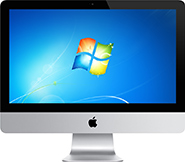
Services: Windows on MacWith Apple's switch to Intel processors over 10 years ago, this opened up the highly desirable option of running windows on a Mac. There are several ways this can be done, listed below. Contact us to have any of these solutions set up on your Mac. 1. Boot Camp
For more information on Boot Camp see the support section on Apple's web site 2. Parallels Desktop for MacThis program has the added capability of running both macOS and Windows at the same time - no restart required. For example, you can be emailing in Mail, editing photos in iPhoto, listening to music in iTunes, while at the same time running your essential Windows programs in Parallels. For more information on this amazing program see our detailed description here 3. VMware FusionSimilar to Parallels, Fusion also allows you to run both macOS and Windows at the same time. We can set you up with Fusion upon request, however our preference is Parallels. From experience with both products, we have found Parallels to have a better set of features, and is updated more regularly than Fusion. For more information on Fusion see the description on their web site 4. CrossOverThis ingenious program has the ability to run selected Windows applications, such as Internet Explorer, Microsoft Office (Word / Excel / PowerPoint / Access), Quicken, etc, without running or even needing Windows. Caution - this program can be challenging to set up and is not as stable as the previous 3 options. Also, the selection of Windows programs that work with CrossOver is comprehensive, yet limited when compared with running a full-fledged version of Windows via either of the first 3 options. For more information on CrossOver see the description on their web site
|
Phone: 1300 650 126 Mobile: 0407 026 037 Email: click here |
| Copyright © 2023 Mac Manager |